Posts

Posts mit dem Label "TypeScript" werden angezeigt.

SPFx - Data Access Options in SharePoint SPFx-Based Solutions

Bild
A technical overview for SharePoint Framework developers covering Fetch API, SPHttpClient, MSGraphClient and PnPjs. Overview of common data access options in SharePoint Framework solutions. Introduction SharePoint Framework, commonly referred to as SPFx, is the primary development model for modern client-side customizations in SharePoint Online. Web parts, extensions, Adaptive Card Extensions and Microsoft Teams applications almost always need to access data from SharePoint or Microsoft 365. The selected data access technology has a direct impact on performance, maintainability, extensibility and the long-term sustainability of a solution. SPFx development has changed significantly over time. In early SPFx projects, direct access to the SharePoint REST API was the dominant approach. Today, several established options are available. In addition to ...
Use pdfmake library in SPFx v1.18.2 projects

For my current customer project I needed to implement a SPFx based WebPart solution to fetch information from Office 365 via Graph API and to summarize the information in a PDF document. The customer does not want to have any server side code (e. g. serverless  AZURE function). This means I had to create the PDF on the client. For that purpose I used the library pdfmake in my SPFx React based App. To use the library in a SPFx project you should consider the bottom implementation to prevent errors like the following two possible pitfalls: Roboto-Regular (or any other) font not found in virtual file system Argument of type '{ pageSize: string; header: string; content: ({ text: string; style: string; table?: undefined; layout?: undefined; } | { style: string; table: { widths: any[]; headerRows: number; body: any[]; }; layout: { fillColor: (rowIndex: number) => string; }; text?: undefined; })[]; styles: { ...; }; }' is not assignable to parameter of type 'TDocumentDef...

ASP.NET Core, TypeScript, import & WebPack

Bild
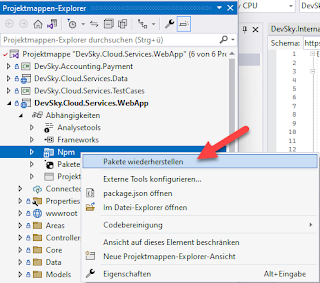
In one of my current ASP.NET Core project I am using TypeScript for my clientside coding. I set up the project in Visual Studio 2022 regarding the MSDN description to enable TypeScript support: Tutorial: Create an ASP.NET Core app with TypeScript in Visual Studio Regarding the Tutorial everything worked as expected. I could write TypeScript and I used different TypeScript definition files imported via package.json as devDependencies. The big problem come up as I  tried to use another library, in my case the "jsoneditor Rel. 9.10.2. I included the package and tried to use the JSONEditor class. Of course, at first TypeScript was not aware about this type. Then I included the Typscript definition file for the editor. Still same error: JSONEditor is unknown and cannot be resolved. Then I tried to reference the typescript definition file with /// <reference path="../libs...."/> no luck.  After a lot of trial and errors the Visual Studio recommend me to use...