Posts

Posts mit dem Label "Microsoft Graph" werden angezeigt.

SPFx - Data Access Options in SharePoint SPFx-Based Solutions

Bild
A technical overview for SharePoint Framework developers covering Fetch API, SPHttpClient, MSGraphClient and PnPjs. Overview of common data access options in SharePoint Framework solutions. Introduction SharePoint Framework, commonly referred to as SPFx, is the primary development model for modern client-side customizations in SharePoint Online. Web parts, extensions, Adaptive Card Extensions and Microsoft Teams applications almost always need to access data from SharePoint or Microsoft 365. The selected data access technology has a direct impact on performance, maintainability, extensibility and the long-term sustainability of a solution. SPFx development has changed significantly over time. In early SPFx projects, direct access to the SharePoint REST API was the dominant approach. Today, several established options are available. In addition to ...
😱 Retired API: SP.Utilities.Utility.SendEmail - move to Microsoft Graph API

Yesterday I received a call from a (now a new 😊) customer, and he complained about a custom app (WebPart) solution. He told me that the app normally sends an email automatically after a user uses a specific function in the app. But at the moment the email is missing from the app. The customer explained to me that the IT members have checked the email settings already and the email account is working fine. I asked for the source code, and I started to debug the solution. Then I found out that the app is still using the old retired SP.Utilities.Utility.SendEmail function to send emails. I updated the email sending method within the app and implemented a Microsoft Graph-based method. For everyone who needs to send an email within an SPFx app, see the code below. static async sendEMail(receiver: string, subject: string, bodyText: string, webPartCtx: WebPartContext): Promise<void> { const sendMailMessage = { message: { subject: subject, body: { ...

Use Microsoft Graph Permission in SPFx solution without deploying 😌

Bild
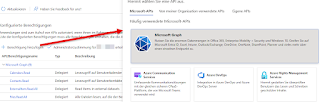
The Microsoft Graph API is a very powerful and rich REST endpoint and is used in many custom solution. I myself use the Graph API in a lot of my custom client SPFx based solutions, too - of cource 😊 The only annoying step is to enable the API permission(s) for the SPFx solution. Before you can use the API you need to register the APP and approve the requested permissions in Office 365. This means you have to do the following steps: Define the required API permissions and add insert the permissions in the package-solution.json gulp bundle and gulp package-solution to create an deployment package Install the package in the App-Catalog Go to the SharePoint Admin Center Web API Permissions page Review and approve the requested permissions All these steps are necessary before you can make the first call to the Microsoft Graph API from your SPFx solution. Skip the (first) deployment step ♨️ ONLY for developing purpose it is possible to skip the initial deployment steps...